
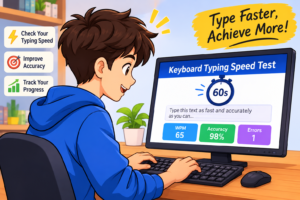
Typing is an important skill in today’s digital environment. Whether you are a student, office worker, freelancer, or regular computer user, your ability to type quickly and accurately can make everyday tasks easier. From writing emails and preparing documents to completing assignments and communicating online, good keyboard skills help you save time and work more efficiently.
A keyboard typing test is a practical way to measure how quickly you can enter text using a computer keyboard. It allows you to understand your current typing performance, check your accuracy, and identify areas that need improvement. With regular practice, you can develop better finger coordination, reduce typing mistakes, and become more comfortable using your keyboard.
TypingImprove provides an easy way to evaluate your typing ability and practice toward better results. Whether you are just learning to type or want to improve an existing WPM score, taking regular typing tests can help you track your progress.
What Is a Keyboard Typing Test?
A keyboard typing test is an online assessment that measures how fast and accurately you can type a given passage of text. During the test, words or sentences appear on your screen, and your task is to reproduce them using your keyboard within a selected time limit. Once the timer ends, the system calculates your performance and displays your results.
Most typing tests measure speed in words per minute (WPM), which represents the number of words you can type in one minute. They may also calculate your accuracy percentage, correct characters, incorrect entries, and other performance details.
This type of assessment is useful for people at different skill levels. Beginners can use it to understand their starting point, while experienced typists can evaluate their performance and work toward higher speed and accuracy. It also provides a simple way to monitor improvements over multiple practice sessions.
How Does an Online Keyboard Typing Test Work?
Taking an online keyboard typing test is usually straightforward. You do not need complicated software or advanced computer knowledge to get started. Simply open the typing test, read the displayed instructions, and begin entering the given text into the typing area.
The test generally follows a few simple steps:
- Choose your test duration: Select a suitable time limit, such as one, two, three, five, or ten minutes.
- Start typing: Reproduce the displayed words and sentences using your keyboard.
- Maintain accuracy: Focus on entering the correct letters, spaces, and punctuation.
- Complete the test: Continue typing until the countdown reaches zero or the exercise finishes.
- Review your results: Check your WPM score, accuracy percentage, and typing mistakes.
After completing the assessment, you can use your results to understand your strengths and weaknesses. Repeating the test after regular practice also helps you determine whether your keyboard skills are improving.
Understand Your Typing Speed (WPM)
Words per minute, commonly known as WPM, is one of the most widely used measurements of typing speed. It tells you how many standardized words you can type within sixty seconds. Most typing tests use a standard calculation in which five characters, including spaces, count as one word.
For example, if you type 250 characters in one minute, your gross typing speed is approximately 50 WPM. However, your final score may be adjusted depending on the number of mistakes you make and the scoring method used by the test.
Understanding your WPM result helps you set realistic typing goals. Rather than trying to achieve an extremely high score immediately, focus on improving your performance gradually. A consistent typing rhythm and fewer mistakes are often more valuable than simply typing faster.
Why Is Typing Accuracy Important?
Typing speed is only one part of good keyboard performance. Accuracy is equally important because frequent mistakes can make your work slower and less reliable. For example, typing a document quickly but repeatedly correcting spelling errors can take more time than typing at a slightly slower and more accurate pace.
A keyboard typing test helps you identify common problems, such as missing letters, incorrect spelling, extra spaces, and misplaced punctuation. Once you recognize these mistakes, you can focus your practice on improving the areas where you struggle most.
To develop better accuracy, avoid rushing through the test. Read the displayed text carefully, use the correct fingers for different keys, and maintain a comfortable typing rhythm. As your accuracy improves, you can gradually increase your speed without losing control.
What Is a Good Keyboard Typing Speed?
A good typing speed depends on your experience, the type of work you perform, and your personal goals. Some people type comfortably at moderate speeds, while professional typists may achieve significantly higher WPM scores.
Here is a general guide to different typing speed levels:
| Typing Speed | General Level |
|---|---|
| 10–20 WPM | Beginner |
| 21–30 WPM | Developing |
| 31–40 WPM | Intermediate |
| 41–50 WPM | Good |
| 51–70 WPM | Above Average |
| 71–90 WPM | Fast |
| 90+ WPM | Very Fast |
These categories are general reference points, not official universal standards. Your accuracy, consistency, and ability to maintain your speed during longer sessions are also important.
If you are a beginner, do not worry about achieving a high WPM score immediately. Start with a comfortable speed and work on developing correct typing habits. Small improvements over time can make a noticeable difference.
Benefits of Taking Regular Keyboard Typing Tests
Regular typing assessments offer several benefits for people who use computers for education, work, or personal activities.
Measure your current performance: A typing test provides a clear starting point by showing your current speed and accuracy. This makes it easier to understand your typing ability.
Improve keyboard familiarity: Repeated exercises help you become more familiar with key positions and develop better finger coordination.
Build typing confidence: As your performance improves, you may feel more comfortable completing writing tasks, assignments, and online communication.
Identify common mistakes: Reviewing your results helps you recognize frequently mistyped letters and areas that require additional attention.
Track your progress: Taking tests regularly allows you to compare previous results with your latest performance and adjust your practice routine.
These benefits make online typing assessments useful for beginners as well as experienced computer users.
How to Improve Your Keyboard Typing Speed

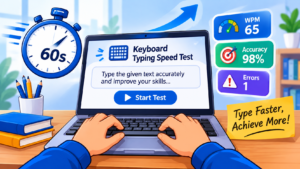
Improving your typing speed requires consistent practice and good keyboard habits. You do not need to spend several hours every day practicing. Even a short, focused session can help you develop better control over time.
Here are some practical ways to improve your typing performance:
- Learn proper finger placement: Familiarize yourself with the home row keys and use the appropriate fingers for different keyboard areas.
- Practice regularly: Spend 10 to 15 minutes each day working on typing exercises.
- Focus on accuracy first: Avoid typing too quickly before you develop control over your keyboard.
- Reduce keyboard watching: Gradually learn to locate keys without constantly looking down.
- Practice different passages: Use sentences, paragraphs, and common words to become comfortable with different typing patterns.
- Review your results: Check your WPM and accuracy after every test to understand your progress.
- Maintain a comfortable posture: Keep your hands relaxed and position your keyboard at a comfortable height.
Following these habits can help you develop a more efficient typing technique and improve your overall keyboard performance.
Who Should Take a Keyboard Typing Test?
A keyboard typing test is useful for almost anyone who regularly works with a computer.
Students can use typing assessments to improve their assignment-writing speed and prepare for computer-based examinations. Office workers can evaluate their keyboard efficiency when handling emails, reports, and everyday documentation. Freelancers, content writers, and data entry professionals can use WPM tests to understand their typing performance and identify opportunities for improvement.
Beginners can also benefit from these exercises because they provide an easy introduction to keyboard practice. Even if you have never taken a typing test before, you can start with a short assessment and gradually move toward longer exercises as your confidence improves.
Start Your Free Keyboard Typing Test
Developing strong typing skills starts with understanding your current ability. A keyboard typing test gives you an opportunity to measure your WPM, evaluate your accuracy, and identify areas where you can improve.
With TypingImprove, you can practice at your own pace, explore different test durations, and work toward better keyboard performance. Start with a short test, review your results, and continue practicing regularly. Remember that consistent accuracy is more important than rushing to achieve a high score.
Whether your goal is to type faster for school, improve workplace productivity, or become more confident using a computer, regular practice can help you make steady progress.
Take your keyboard typing test today and start building better typing habits with TypingImprove.