
Improve Your Typing Speed with Free Online Typing Tests
Take a free typing test online and discover how fast and accurately you type. Practice daily, track your WPM, improve keyboard accuracy, and build confidence with interactive typing lessons designed for beginners and experienced typists.
Welcome to Typing Improve, your online destination for testing typing speed, measuring keyboard accuracy, and developing better typing skills. Whether you are a student, professional, job seeker, or beginner, our typing test helps you understand your current typing performance and identify opportunities for improvement.
Take a free typing test online to discover how many words per minute (WPM) you can type, check your accuracy, and practice building faster, more confident typing habits. With regular practice and attention to accuracy, you can work toward becoming a more efficient typist.
Take a Free Online Typing Test
Want to know how fast you can type? Our online typing test provides a practical way to assess your typing speed and accuracy. Start typing the displayed text and focus on entering each word correctly while maintaining a comfortable rhythm.
A typing speed test can help you understand your current ability and establish a baseline for future practice. Instead of guessing how quickly you type, use your test results to identify your strengths and areas that need more attention.
TypingImprove is designed to make checking your typing performance straightforward. Whether you are taking your first test or checking your progress after weeks of practice, a typing test can help you stay focused on your learning goals.
What Is a Typing Speed Test?
A typing speed test measures how quickly you can enter text using a keyboard. Typing speed is commonly measured in words per minute (WPM), while typing accuracy indicates how correctly you reproduce the displayed text.
During a typical typing test, you type a passage for a set duration or complete a given amount of text. Your performance can then be evaluated using typing speed, correct characters, mistakes, and accuracy, depending on the test tool.
For example, a higher WPM score indicates faster typing, but speed alone does not tell the whole story. Accurate typing is equally important because frequent mistakes can slow you down when writing emails, preparing assignments, entering information, or completing professional tasks.
Combining speed with accuracy gives you a more useful picture of your overall typing ability.
How to Check Your Typing Speed
Checking your typing speed online is simple. Follow these steps to get started:
- Open the typing test: Visit TypingImprove.com and locate the typing test tool.
- Read the displayed text: Take a moment to understand the passage before you begin.
- Start typing: Enter the text into the typing area while following the displayed words.
- Maintain accuracy: Focus on correct keystrokes instead of rushing to finish.
- Review your results: Check the available WPM score, accuracy percentage, and other performance statistics.
- Practice regularly: Take additional tests to monitor your progress over time.
For a fair comparison, try to use similar test durations and conditions when checking your results. This makes it easier to see whether your typing speed and accuracy are improving.
Understand Your WPM Test Results
Words per minute is one of the most widely used measurements for typing speed. It helps you compare performance across typing tests and set realistic practice goals.
A WPM test typically estimates the number of words typed in one minute. Many typing tools use a standardized word length, often five characters including spaces, to calculate gross typing speed. However, calculation methods can vary between tools, particularly when errors are included.
Your results may include the following measurements:
- Typing speed (WPM): An estimate of how many words you type per minute.
- Typing accuracy: The percentage of text or keystrokes entered correctly, depending on the tool's calculation method.
- Typing errors: Mistakes made while reproducing the displayed passage.
- Test duration: The amount of time spent completing the typing test.
Use these measurements together to understand your performance. If your speed increases but your accuracy falls significantly, slow down and focus on correct typing before trying to increase your pace again.
Why Typing Accuracy Matters
Typing quickly is useful, but accuracy is essential for producing reliable work. Incorrect characters, missing words, and spelling mistakes can create problems when writing documents, completing forms, communicating online, or entering important information.
Improving keyboard accuracy can also help you develop a more consistent typing rhythm. When you make fewer mistakes, you spend less time correcting errors and more time completing your work.
To improve accuracy, look at the displayed text, pay attention to your finger placement, and avoid pressing keys too aggressively. Beginners should prioritize correct keystrokes before trying to achieve a high WPM score.
Over time, accurate typing can become more natural through repetition and deliberate practice.
Free Typing Test Online to Better Skills
Regular Free typing test online is an effective way to develop familiarity with your keyboard and improve your typing technique. TypingImprove can help you check your current performance and use repeated tests to work toward your goals.
For better results, create a simple practice routine that fits your schedule. Short, focused sessions can be easier to maintain than occasional long sessions.
Try these typing practice tips:
- Practice consistently: Set aside a few minutes each day to work on your typing.
- Focus on accuracy first: Build correct typing habits before increasing your speed.
- Use proper posture: Keep your shoulders relaxed and position your hands comfortably.
- Learn touch typing: Gradually practice typing without constantly looking at the keyboard.
- Review your mistakes: Identify frequently mistyped letters or combinations.
- Track your progress: Compare results from similar tests to understand your development.
Progress varies from person to person. Consistent practice, a comfortable setup, and an emphasis on accuracy can help you develop stronger typing habits over time.
Who Can Benefit from an Online Typing Test?
An online typing test can be useful for people with different goals and experience levels.
Students: Improve keyboard skills for assignments, research, notes, and digital learning.
Job seekers: Practice typing for roles that require data entry, administrative work, transcription, or other keyboard-based tasks. Some employers use formal typing assessments, so check the specific requirements of the position.
Office professionals: Develop efficient typing habits for emails, reports, documents, and everyday workplace communication.
Writers and content creators: Work toward a smoother writing process by building typing speed and accuracy.
Beginners: Learn keyboard familiarity, identify common mistakes, and establish a starting point for improvement.
Experienced typists: Check current performance and work on maintaining a balance between speed and accuracy.
Regardless of your experience, a typing speed test can provide useful feedback about your current abilities.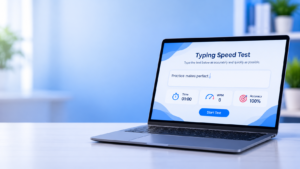
Tips to Improve Your Typing Speed
If you want to improve your WPM score, focus on technique rather than speed alone. Rushing can lead to more errors and inconsistent results.
Start by learning the home-row position, where your fingers rest on the main keyboard keys. Gradually become familiar with the positions of other letters, numbers, and punctuation marks.
Keep your hands relaxed and avoid unnecessary movement. Try to develop a steady rhythm instead of typing in short bursts followed by frequent pauses.
Choose practice passages that match your ability. As your accuracy improves, gradually challenge yourself with longer sentences and less familiar words.
Most importantly, measure progress over time rather than expecting dramatic improvement after a single session. Regular typing tests can help you recognize patterns and adjust your practice routine.
Frequently Asked Questions
What is a typing test?
A typing test measures how quickly and accurately you can reproduce text using a keyboard. Results commonly include words per minute (WPM) and may include accuracy and error statistics.
Is TypingImprove a free typing test website?
TypingImprove is designed to help users check typing speed and develop keyboard skills. Check the available features on the website to confirm which tools and practice options are currently offered.
What does WPM mean in typing?
WPM stands for words per minute. It is a standard measurement used to estimate typing speed during a typing test.
How can I improve my typing speed?
Practice regularly, focus on accuracy, learn proper finger placement, and review your mistakes. Comparing results from similar typing tests can help you track progress.
Is typing accuracy more important than speed?
Both matter. Accuracy helps you produce correct text, while speed helps you complete keyboard-based tasks more quickly. Beginners generally benefit from establishing accurate typing habits before focusing heavily on speed.
How often should I take a typing speed test?
You can take a typing test during regular practice sessions and compare results over time. Using similar test durations and conditions makes progress easier to evaluate.
Start Improving Your Typing Skills Today
Better typing starts with understanding your current ability and practicing with a clear goal. TypingImprove.com helps you explore typing speed, WPM measurements, keyboard accuracy, and practical typing improvement techniques.
Take a typing test, review your results, and use what you learn to guide your next practice session. With patience and consistent effort, you can build more accurate typing habits and work toward greater keyboard confidence.