
Typing is an important skill that we use almost every day. Whether you are a student completing assignments, an office worker writing emails, a freelancer working on projects, or someone who spends time online, typing faster can make everyday tasks much easier. However, typing quickly is not just about moving your fingers faster. It is also about accuracy, proper technique, and developing good typing habits.
Many people want to know how to improve typing speed but are unsure where to start. Some try to type as fast as possible, while others spend hours practicing without seeing much progress. The truth is that improving your typing skills requires the right approach and consistent practice.
The good news is that anyone can become a faster typist with time and effort. You do not need an expensive keyboard or special equipment. By following a few simple techniques and practicing regularly, you can gradually increase your words per minute (WPM) and become more confident at the keyboard.
In this guide, we will explore 10 practical ways to improve your typing speed while maintaining accuracy.
1. Learn Proper Finger Placement
One of the first steps toward faster typing is learning where your fingers should rest on the keyboard. Many beginners use only a few fingers to type, which makes it difficult to reach higher speeds.
The standard typing technique uses the home row keys. These are the middle keys on your keyboard:
Left hand: A, S, D, and F
Right hand: J, K, L, and ;
Your thumbs should rest near the spacebar. Each finger is responsible for reaching specific keys, allowing your hands to move naturally across the keyboard.
Proper finger placement reduces unnecessary movement and helps you type more efficiently. It may feel uncomfortable at first, especially if you are used to typing with two fingers. However, practicing this technique regularly can make a noticeable difference over time.
2. Practice Touch Typing
Touch typing means typing without constantly looking down at your keyboard. Instead of searching for individual letters, you learn to recognize their positions through muscle memory.
This technique is particularly useful because looking at the keyboard repeatedly slows you down and interrupts your concentration.
Start by practicing simple words and short sentences. Keep your eyes on the screen and try to find each key using your fingers. You will probably make mistakes in the beginning, but that is a normal part of learning.
As your fingers become familiar with the keyboard layout, you will gradually need less time to find each letter.
Touch typing is one of the most effective long-term methods for improving typing speed and developing professional typing skills.
3. Focus on Accuracy Before Speed
A common mistake beginners make is trying to type as quickly as possible. Although speed is important, accuracy should always come first.
Think about it: if you type 60 words per minute but make frequent mistakes, you may spend more time correcting your work than actually writing.
Instead, focus on typing each word correctly. Pay attention to spelling, punctuation, capitalization, and spaces between words.
Once you become comfortable typing accurately, gradually increase your speed.
A good typing routine should focus on both speed and precision. Remember that a consistent typing rhythm is more useful than rushing through every sentence.
4. Take a Typing Speed Test Regularly
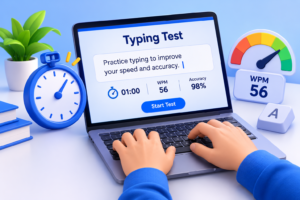
If you want to improve, you need to understand your current typing performance. A typing speed test helps you measure how many words you can type in one minute.
Your result is generally measured in words per minute (WPM). Most online typing tests also calculate your accuracy percentage.
For example, if you type 40 words in one minute, your typing speed is approximately 40 WPM. Your accuracy score tells you how many words or characters you entered correctly, depending on the test’s calculation method.
You can use an online typing test to:
Check your current typing speed.
Measure your typing accuracy.
Identify areas where you make mistakes.
Track your progress over time.
Set realistic typing goals.
Try taking a one-minute typing test at the beginning of your practice session. After practicing, take another test to see how your performance changes.
You can use TypingImprove to practice your typing skills, check your speed, and monitor your improvement.
5. Practice Every Day

Consistency is more important than practicing for several hours once a week. Even 10 to 15 minutes of daily typing practice can help you develop better habits.
Your fingers need time to become familiar with the keyboard layout. Regular practice helps build muscle memory, making it easier to find keys without thinking about their positions.
You can create a simple daily routine:
Spend 3 minutes practicing individual letters.
Spend 4 minutes typing common words.
Spend 5 minutes practicing complete sentences.
Finish with a one-minute typing speed test.
As you become more comfortable, increase the difficulty of your exercises.
Try not to skip practice sessions unnecessarily. Small improvements every day can eventually lead to significant progress.
6. Maintain Proper Sitting Posture
Your physical position can also affect your typing performance. Sitting incorrectly may cause discomfort, tiredness, and unnecessary tension in your hands and shoulders.
For a comfortable typing experience, follow these simple guidelines:
Sit with your back straight and shoulders relaxed.
Keep your feet flat on the floor.
Position your keyboard at a comfortable height.
Keep your elbows close to your body.
Avoid bending your wrists too much.
Place your screen at a comfortable viewing level.
Good posture helps you stay comfortable during longer typing sessions. It also makes it easier to maintain a natural hand position while practicing.
Remember to take short breaks, especially if you spend several hours working on a computer.
7. Learn Common Words and Letter Combinations
Some words and letter combinations appear much more frequently than others. Learning to type these patterns smoothly can help improve your overall typing speed.
For example, common English words such as “the,” “and,” “you,” “that,” and “with” appear regularly in everyday writing.
You can improve your typing skills by practicing:
Frequently used English words.
Common letter combinations such as th, sh, ch, and ing.
Short paragraphs and everyday sentences.
Numbers and punctuation marks.
Longer words that require more finger movement.
Instead of typing random letters, practice meaningful words and sentences. This helps you become familiar with the patterns you are likely to encounter in real-life situations.
Over time, your fingers will recognize common combinations more naturally, allowing you to type with fewer interruptions.
8. Set Realistic Typing Speed Goals
Setting goals gives you something specific to work toward. Without a clear target, it can be difficult to understand whether your typing skills are improving.
Start by checking your current WPM score. Then choose a realistic target based on your existing ability.
For example:
| Current Speed | Next Goal |
|---|---|
| 15 WPM | 20 WPM |
| 25 WPM | 30 WPM |
| 35 WPM | 40 WPM |
| 45 WPM | 50 WPM |
| 55 WPM | 60 WPM |
These are example goals, not fixed timelines. Everyone learns at a different pace, so do not compare your progress too closely with other people.
Once you achieve your first goal, set another one. Gradually increasing your target can keep you motivated and help you build stronger typing skills.
9. Avoid Looking at the Keyboard
Looking down at the keyboard every time you need to find a letter can interrupt your typing rhythm. It also makes it harder to develop the muscle memory needed for touch typing.
Try keeping your eyes on the screen while practicing. If you struggle to remember key positions, slow down instead of looking down immediately.
You can also cover your hands with a light cloth during simple typing exercises if you find yourself constantly checking the keys. However, make sure you remain comfortable and can practice safely.
At first, you may type more slowly than usual. That is completely normal.
With regular practice, you will become more familiar with the keyboard layout and start typing more naturally without looking at your hands.
10. Use Online Typing Practice Tools
Online typing practice tools make learning easier because they provide structured exercises and instant feedback.
Instead of typing random paragraphs, you can use different activities designed to improve specific skills.
For example, you can practice with:
One-minute typing tests to measure speed.
Five-minute typing tests to build consistency.
Beginner typing lessons to learn finger placement.
Accuracy exercises to reduce mistakes.
Touch typing practice to develop muscle memory.
WPM tests to measure your progress.
Different exercises help you work on different areas of your typing performance.
If you are a beginner, start with simple lessons and gradually move toward longer paragraphs. If you already have some experience, challenge yourself with timed typing tests.
TypingImprove offers an opportunity to practice regularly and work toward your typing goals in a simple online environment.
How Long Does It Take to Improve Typing Speed?
The time required to improve typing speed depends on your current ability, practice routine, and learning method.
Some beginners notice improvements after a few days of regular practice, while others need several weeks to become comfortable with proper typing techniques.
Here is an example of a possible progression for someone starting at 20 WPM:
| Practice Period | Example Target |
|---|---|
| Starting speed | 20 WPM |
| After 1 week | 22–25 WPM |
| After 2 weeks | 25–28 WPM |
| After 1 month | 30–35 WPM |
| After 2 months | 35–45 WPM |
These numbers are illustrative, not guaranteed results. Your actual progress may be faster or slower.
The most important thing is to practice consistently, focus on accuracy, and avoid rushing through exercises.
What Is a Good Typing Speed?
A good typing speed depends on what you use a computer for. Students, casual computer users, and professional typists may have different requirements.
Here is a general guide to typing speeds:
| Typing Speed | Skill Level |
|---|---|
| Below 20 WPM | Beginner |
| 20–30 WPM | Developing |
| 30–40 WPM | Average |
| 40–60 WPM | Good |
| 60–80 WPM | Very Good |
| 80+ WPM | Advanced |
These categories are approximate and can vary depending on the typing test and its difficulty.
For everyday computer use, reaching 40–50 WPM can be a useful goal. If your work involves writing, data entry, or transcription, improving beyond that level may be beneficial.
However, speed is not the only measurement of good typing. Accuracy and consistency are equally important.
Final Thoughts
Learning how to improve typing speed does not require complicated techniques. The key is to build good habits, practice regularly, and focus on accuracy before trying to type faster.
Start with proper finger placement, learn touch typing, and use online typing exercises to become more comfortable with your keyboard. Take regular typing speed tests to measure your performance and set small goals that encourage continuous improvement.
Remember that everyone starts somewhere. You might make mistakes or struggle with certain keys in the beginning, but consistent practice can help you become faster and more confident.
Start practicing today with TypingImprove and take the first step toward better typing speed, accuracy, and productivity.