
Typing is an essential skill in today’s digital world. Whether you are a student, professional, freelancer, or someone who regularly uses a computer, the ability to type quickly and accurately can make everyday tasks easier. From writing emails and completing assignments to preparing reports and working online, good typing skills help you save time and work more efficiently.
TypingImprove makes it easier to develop better keyboard skills through online typing tests and practical exercises. You can measure your typing speed, check your accuracy, practice different typing techniques, and track your progress over time. Whether you are just starting or already comfortable with a keyboard, regular practice can help you become a more confident and efficient typist.
Typing Speed Test


A typing speed test is a simple way to measure how quickly you can type using a computer keyboard. It typically presents a passage of text that you need to reproduce within a specific time. Once you complete the test, your results show your typing speed in words per minute (WPM), along with information about your accuracy and mistakes. This gives you a better understanding of your current typing ability and helps you identify areas that need improvement.
Typing speed is important for many everyday activities, including writing documents, responding to messages, completing school assignments, and handling professional tasks. A good typing speed can make these activities more efficient without requiring additional effort. However, speed should not be your only goal. Developing consistent accuracy and maintaining a comfortable typing rhythm are equally important. With TypingImprove, you can take an online test, understand your current performance, and practice regularly to build stronger keyboard skills.
Free Typing Test
A free typing test provides an accessible way to evaluate your keyboard skills without paying for expensive software or purchasing additional learning materials. You can open an online typing tool, start a test, and see how well you perform. This is particularly useful for beginners who want to understand their typing ability before following a structured learning routine. It also gives experienced typists an opportunity to check their performance whenever they want.
TypingImprove offers a convenient environment for people who want to work on their typing speed and accuracy. You can use your practice time to become familiar with different words, improve your keyboard control, and develop better typing habits. A free online test is also useful for students preparing for computer-related assessments and professionals who want to evaluate their keyboard efficiency. Since regular practice plays an important role in improvement, having easy access to typing exercises makes it simpler to stay consistent and work toward measurable goals.
1 Minute Typing Test

A 1 minute typing test is a quick assessment designed to measure your typing performance in just sixty seconds. It is ideal for people who want to check their current speed without spending several minutes on a longer exercise. During the test, you type the displayed text as accurately and quickly as possible before the timer reaches zero. Your final result usually includes words per minute, correct characters, and typing errors.
This short assessment is particularly helpful for beginners because it introduces the basic process of timed typing practice. It also allows experienced users to perform quick daily checks and compare their results across different sessions. Although one minute may seem like a short period, it can provide useful information about your keyboard control, concentration, and typing rhythm. For better results, try to maintain a steady pace instead of rushing through the passage. Repeating a 1 minute typing test regularly can help you recognize your progress and identify mistakes that affect your overall performance.
5 Minute Typing Test
A 5 minute typing test offers a longer assessment for people who want a more detailed understanding of their typing abilities. Unlike shorter tests, this exercise gives you more time to demonstrate your speed, accuracy, and consistency. It can reveal whether you are able to maintain a steady typing rhythm over an extended period rather than performing well only during a brief session.
This type of assessment is useful for students, office workers, job applicants, and anyone preparing for a typing examination. Many computer-based tasks require continuous typing, so practicing for several minutes can help you become more comfortable with longer passages. It also allows you to work on concentration, finger movement, and error prevention. When taking a 5 minute typing test, focus on maintaining accuracy while gradually increasing your speed. If your performance decreases toward the end, you may need to work on typing endurance and relaxation. Consistent practice can help you maintain better control throughout longer typing sessions.
WPM Test
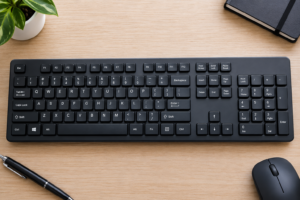
A WPM test measures your typing speed in words per minute, one of the most commonly used standards for evaluating keyboard performance. It calculates how many words you can type within a given amount of time. In most standard typing tests, a word is calculated using five characters, including spaces. This provides a consistent method for comparing typing speeds across different passages and exercises.
Understanding your WPM result can help you set realistic improvement goals. For example, beginners may initially focus on reaching a comfortable and consistent speed, while more experienced typists can work toward higher performance without sacrificing accuracy. Your WPM score should always be considered alongside your error rate because typing quickly with frequent mistakes may reduce your overall efficiency. A reliable WPM test helps you understand your current level and monitor changes as you practice. By checking your results regularly on TypingImprove, you can see how your keyboard skills develop and determine which areas require more attention.
Typing Practice
Regular typing practice is one of the most effective ways to improve keyboard skills. Just like learning a language or developing any other practical ability, becoming a better typist requires repetition, patience, and consistency. Practicing for a short period every day can help you become more familiar with keyboard layouts, improve finger coordination, and reduce unnecessary movements while typing.
A useful practice routine should include more than simply typing as fast as possible. Start with common words and simple sentences, then gradually move toward longer passages and more challenging exercises. Pay attention to frequently mistyped letters, punctuation, spacing, and proper finger placement. It is also helpful to monitor your speed and accuracy after each session so you can understand whether your performance is improving. TypingImprove provides opportunities to build these skills through structured exercises and typing assessments. Whether you have five minutes or half an hour available, making practice part of your daily routine can help you develop lasting improvements.
Touch Typing Practice
Touch typing practice focuses on learning how to type without constantly looking at the keyboard. Instead of searching for individual keys with your eyes, you develop the ability to recognize their positions through finger memory. This technique encourages the use of all fingers and follows a structured approach to keyboard movement. The home row keys, which include A, S, D, F, J, K, L, and the semicolon key on a standard English keyboard, provide the starting position for proper finger placement.
Learning touch typing can initially feel challenging, especially if you are accustomed to looking down while typing. However, with regular exercises, your fingers gradually become more familiar with the location of each key. This can improve typing efficiency, reduce unnecessary hand movement, and help you maintain better concentration on the text you are writing. Beginners should start slowly and focus on correct finger placement instead of trying to achieve a high WPM score immediately. As your coordination improves, you can gradually increase your speed while maintaining accuracy.
Typing Accuracy Test
A typing accuracy test evaluates how correctly you reproduce a given passage of text. While typing speed measures how quickly you enter words, accuracy focuses on the number of characters and words typed correctly. This assessment helps identify common mistakes, including missing letters, incorrect spelling, extra spaces, and misplaced punctuation. It is especially valuable for people who want to improve the quality of their typing rather than focusing only on speed.
Accuracy plays an important role in professional and academic environments. A fast typist who frequently makes mistakes may spend additional time correcting documents, emails, or assignments. Developing accurate typing habits can reduce these corrections and make your work more reliable. During an accuracy test, concentrate on reading the displayed text carefully and pressing the correct keys. Avoid rushing simply to achieve a higher score. Once you become comfortable with accurate typing, gradually increase your pace. Checking your accuracy results after every session can help you recognize repeated errors and build better keyboard control over time.
Keyboard Speed Test
A keyboard speed test is designed to evaluate how efficiently you can use a computer keyboard to enter text. It measures your typing performance and often provides useful results such as words per minute, accuracy percentage, and the number of mistakes. This makes it a practical tool for anyone interested in understanding their keyboard skills and identifying opportunities for improvement.
Keyboard speed is useful in many situations, including office work, online communication, education, data entry, content writing, and programming. People who regularly work on computers can benefit from developing faster and more accurate typing habits because these skills reduce the time needed to complete text-based tasks. A keyboard speed test also gives beginners a starting point for their learning journey. By taking tests regularly and practicing areas where mistakes occur, you can gradually develop better control and confidence. TypingImprove helps make this process straightforward by providing a place to assess your current ability and work toward stronger typing performance.
Start Improving Your Typing Skills Today
Improving your typing ability does not happen overnight, but a consistent learning routine can make a noticeable difference. The best approach is to understand your current performance, identify areas that need attention, and practice with a clear goal in mind. You can begin with a short typing test, work on accuracy, and gradually move toward longer exercises as your confidence increases.
TypingImprove is designed to support this learning process by bringing together typing assessments and practice opportunities in one convenient place. Whether you want to improve your WPM score, develop touch typing skills, prepare for a typing examination, or simply become more comfortable using a keyboard, regular practice can help you move forward.
Start with a test that matches your current skill level, review your results, and continue practicing at a comfortable pace. Focus on accuracy before speed, maintain proper finger placement, and challenge yourself as your performance improves. With patience and consistent effort, you can build stronger typing habits and become a more efficient typist.